改ip地址:192.168.0.18
用cat /etc/sysconfig/network-scripts/ifcfg-em1 查看修改结果
在工作机器上 ssh root@192.168.0.18
root@192.168.0.18‘s password:
[root@localhost ~]#passwd 改root口令
[root@localhost ~]# hostnamectl status –查看机器名
 Static hostname: localhost.localdomain
       Icon name: computer-server
         Chassis: server
      Machine ID: *****************
         Boot ID: *****************
Operating System: Red Hat Enterprise Linux Server 7.5 (Maipo)
     CPE OS Name: cpe:/o:redhat:enterprise_linux:7.5:GA:server
          Kernel: Linux 3.10.0-862.el7.x86_64
    Architecture: x86-64
[root@localhost ~]# cat /proc/cpuinfo –看cpu
[root@localhost ~]# cat /proc/meminfo –看内存
[root@localhost ~]# hostnamectl set-hostname bmcCompileMst —改机器名
[root@localhost ~]# cat /etc/hostname
bmccompilemst
登出,再进入
[root@bmccompilemst ~]# cat /proc/scsi/scsi —查看raid5 不知道什么意思
Attached devices:
Host: scsi0 Channel: 02 Id: 00 Lun: 00
Vendor: DELL Model: PERC H730P Mini Rev: 4.29
Type: Direct-Access ANSI SCSI revision: 05
Host: scsi10 Channel: 00 Id: 00 Lun: 00
Vendor: HL-DT-ST Model: DVD+-RW GTA0N Rev: A3C0
Type: CD-ROM ANSI SCSI revision: 05
[kunlun@bmccompilemst openbmc]$ cat /etc/os-release –看os版本
NAME="Red Hat Enterprise Linux Server"
VERSION="7.5 (Maipo)"
ID="rhel"
ID_LIKE="fedora"
VARIANT="Server"
VARIANT_ID="server"
VERSION_ID="7.5"
PRETTY_NAME="Red Hat Enterprise Linux Server 7.5 (Maipo)"
ANSI_COLOR="0;31"
CPE_NAME="cpe:/o:redhat:enterprise_linux:7.5:GA:server"
HOME_URL="https://www.redhat.com/"
BUG_REPORT_URL="https://bugzilla.redhat.com/"
REDHAT_BUGZILLA_PRODUCT="Red Hat Enterprise Linux 7"
REDHAT_BUGZILLA_PRODUCT_VERSION=7.5
REDHAT_SUPPORT_PRODUCT="Red Hat Enterprise Linux"
REDHAT_SUPPORT_PRODUCT_VERSION="7.5"
[kunlun@bmccompilemst openbmc]$useradd -d /home/kunlun -m -s /bin/bash kunlun –增加用户
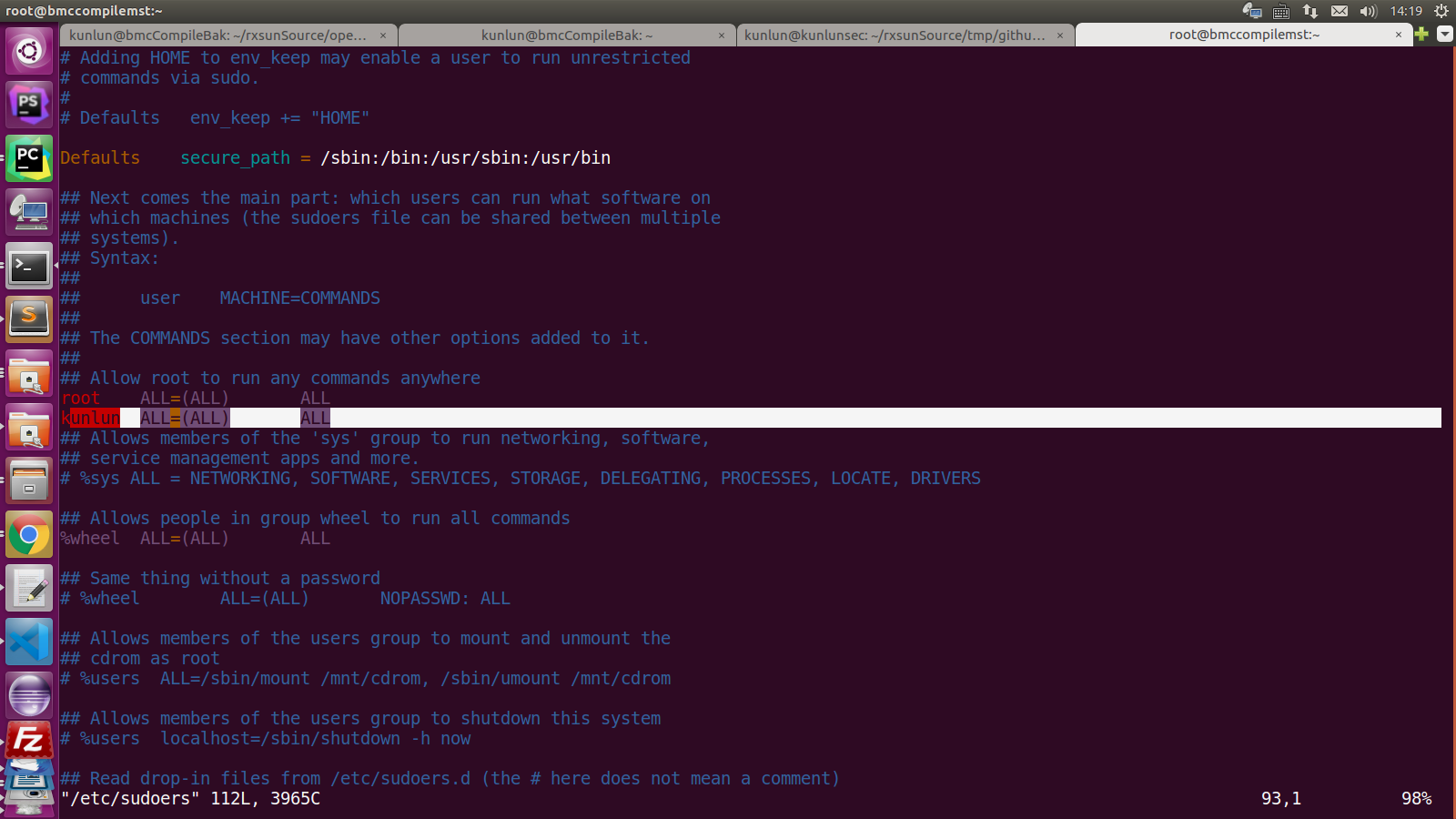
[kunlun@bmccompilemst openbmc]$vim /etc/sudoers 权限不够 给kunlun用户加管理权限 –失败
[root@bmccompilemst ~]# ll /etc/sudoers
-r–r—–. 1 root root 3938 11月 30 2017 /etc/sudoers
[root@bmccompilemst ~]# chmod u+w /etc/sudoers —给sudoers文件加w的权限
[root@bmccompilemst ~]# passwd –改口令
[root@bmccompilemst ~]# vim /etc/sudoers
[root@bmccompilemst ~]# chmod u-w /etc/sudoers 取消sudoers文件w权限
在root行下增加kunlun用户:
root ALL=(ALL) ALL
kunlun ALL=(ALL) ALL
以下处理yum源的问题,因为redhat源是收费的,网上建议用阿里云的
[root@bmccompilemst ~]# mkdir /home/yum/ 并进入
[kunlun@bmccompilemst yum]$ rpm -qa | grep yum
yum-langpacks-0.4.2-7.el7.noarch
yum-3.4.3-158.el7.noarch
yum-metadata-parser-1.1.4-10.el7.x86_64
yum-utils-1.1.31-45.el7.noarch
PackageKit-yum-1.1.5-1.el7.x86_64
yum-rhn-plugin-2.0.1-10.el7.noarch
[kunlun@bmccompilemst yum]$ sudo su
[sudo] kunlun 的密码:
[root@bmccompilemst yum]# rpm -qa | grep yum | xargs rpm -e –nodeps –删除yum
从阿里云下载yum需要的软件:
wget https://mirrors.aliyun.com/centos/7/os/x86_64/Packages/yum-metadata-parser-1.1.4-10.el7.x86_64.rpm
wget https://mirrors.aliyun.com/centos/7/os/x86_64/Packages/yum-utils-1.1.31-50.el7.noarch.rpm
wget https://mirrors.aliyun.com/centos/7/os/x86_64/Packages/yum-3.4.3-161.el7.centos.noarch.rpm
wget https://mirrors.aliyun.com/centos/7/os/x86_64/Packages/yum-plugin-fastestmirror-1.1.31-50.el7.noarch.rpm
wget https://mirrors.aliyun.com/centos/7/os/x86_64/Packages/python-urlgrabber-3.10-9.el7.noarch.rpm
[root@bmccompilemst yum]# wget -O /etc/yum.repos.d/CentOS-Base.repo http://mirrors.aliyun.com/repo/Centos-7.repo
正在保存至: “/etc/yum.repos.d/CentOS-Base.repo”
[root@bmccompilemst yum]# vim /etc/yum.repos.d/CentOS-Base.repo
:%s/$releasever/7/g —将$releasever替换为7
[root@bmccompilemst yum]# rpm -ivh yum-metadata-parser-1.1.4-10.el7.x86_64.rpm yum-utils-1.1.31-50.el7.noarch.rpm yum-3.4.3-161.el7.centos.noarch.rpm yum-plugin-fastestmirror-1.1.31-50.el7.noarch.rpm python-urlgrabber-3.10-9.el7.noarch.rpm –force –nodeps
yum 可用了,再执行一下命令
yum clear all
yum makecache
yum update
=====================================================================================================